11 Comments

Jordan M. writes in and shares a clever DIY timelapse panning rig using a simple Kitchen timer for the motor. I've seen many different DIY Egg Timer timelapse panning rigs, but I haven't seen one coupled with a Lazy Susan spinning tray before. It's a simple design and appears every single part of this DIY rig can be purchased at Walmart, so it's within everyone's budget and everyone's skill set. For those who might want to spend a bit more cash, i'm sure you can polish it up into something more fancy looking. I think it's great the way it is, and seems to get the job done just fine for very little coin. [Thanks Jordan!]

DIY-Timelapse-spice-rack
Spinning Kitchen Tray with Kitchen Timer motor - DIY Motion Timelapse Panning Rig

15 Comments

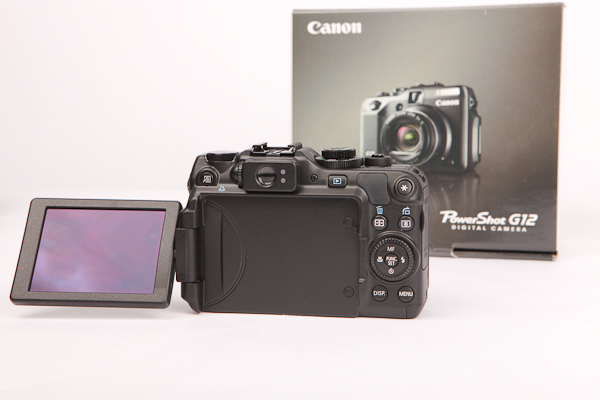
There was a time when many said DSLR cameras with video capabilities wouldn't make much sense, but look where we are today. Now we're starting to see point and shoot cameras offering more into HD video features, but it's still nothing to get too excited about. Point and shoot cameras with HD Video still aren't quite at a level to make any filmmaker go nuts - but then again there are guys spending big bucks shooting short movies and music videos through an iPhone. Here's three cameras that have already made it as winners in this years popularity contest, but should be even more popular during the holidays. If you're like me, and you've got friends asking you about what new camera they should be getting into, keep an eye out for the Canon S95, Canon G12, and Nikon P7000.


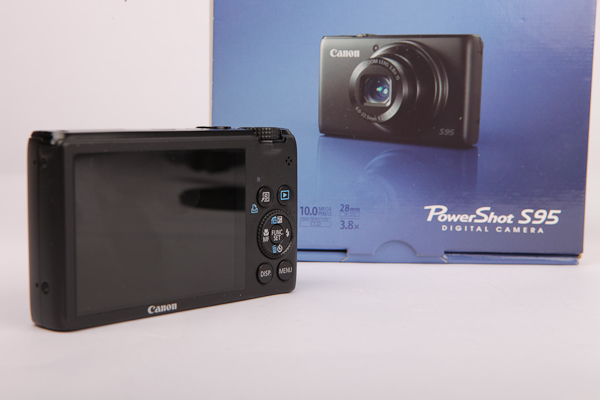
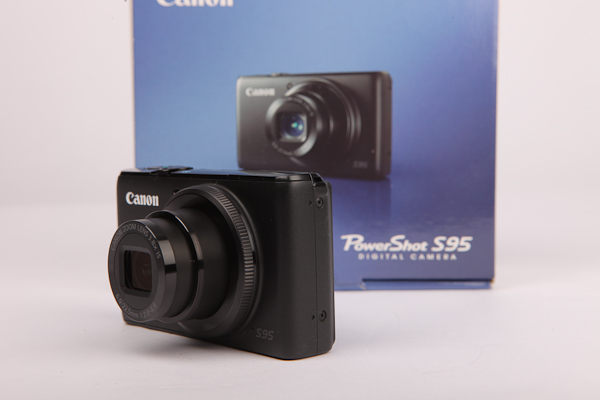
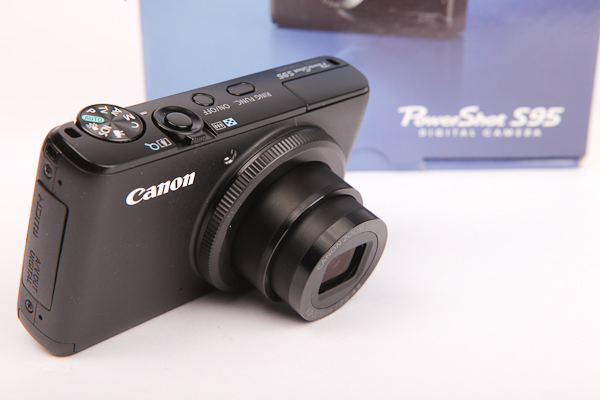
Canon Powershot S95 Images

I'll dive into some fun novelty features that these cameras have built in on a different post, but for now a quick highlight of the external hardware and basic features. The Canon S95 is an improvement over the already popular S90. Many settings can be controlled manually like shutter, aperture, ISO, and white balance. For photos, the S95 can also shoot in RAW which will give you more dynamic range to edit images in post. A friend of mine recently took the Canon Powershot S95 on vacation and found the camera's ability to take such nice pictures in it's auto settings, there was no need to shoot in RAW and edit later. For serious photographers, the manual settings and RAW photo options are great features in a pocketable Point and Shoot camera. All three cameras use SDHC media cards for storage and are HD video capable @720 24fps with HDMI out as well as a port for USB AV out.


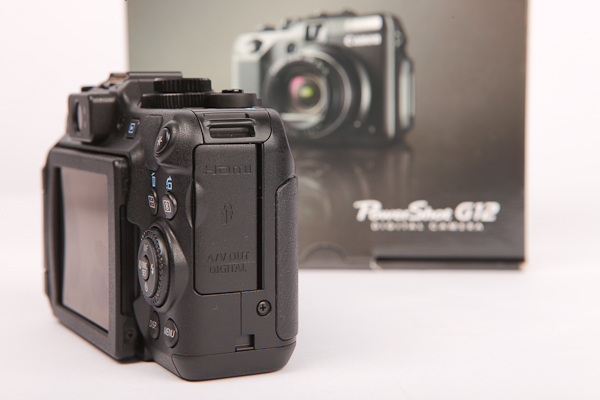
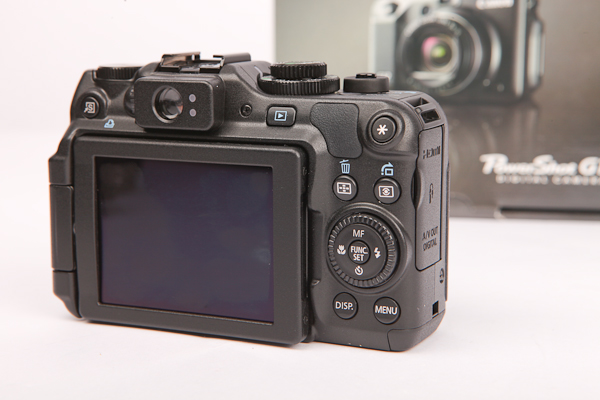
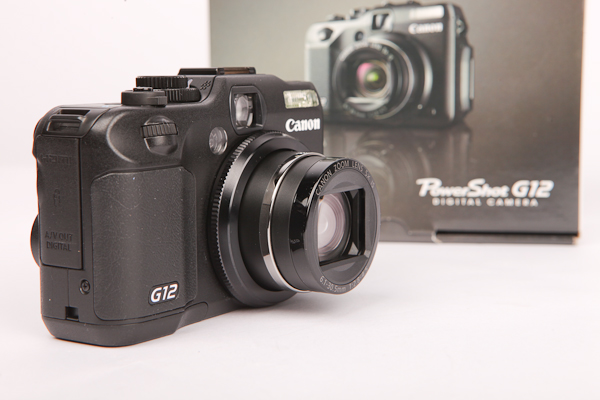
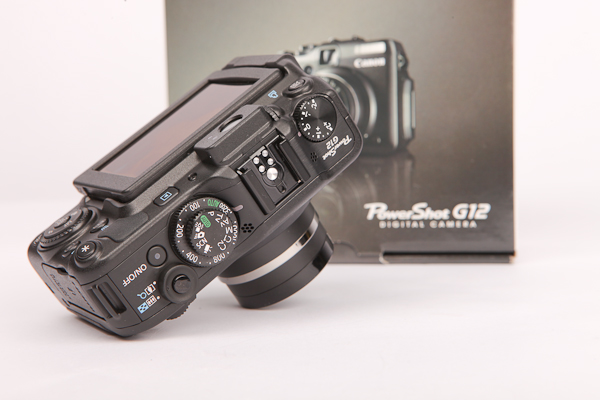
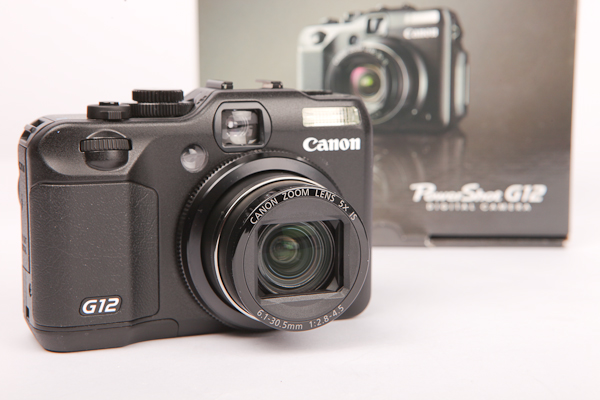
Canon Powershot G12 Images

Unlike the other two larger cameras, the Canon S95 does not have a hotshoe option and very little analog dials / buttons to manually change camera settings. If you're willing to carry a slightly larger camera, the Canon G12 and Nikon P7000 will get you closer to that DSLR feeling. These camera have several dials and buttons dedicated to quickly change camera settings. On the Canon G12 there's a single dial dedicated to ISO, and a single dial dedicated for Exposure compensation. Another dial controls the main menu for AV, TV, Video, and one more jog dial on the back controls the shutter speed. It's not in familiar places, but with short time you'll master these controls.

Comparing the Canon G12 and Nikon P7000, the Canon can accept a remote shutter. The Nikon P7000 does not have a port for this. For travelers who want to fire the camera remotely, or control it via Intervalometer (timer remote) for some nice Timelapse photography or to trigger for HDR bracketing, the Canon G12 would be the better camera. FYI - The remote does not start video mode. Also take note, the Canon G12 uses the same connection as the T2i or Canon 60D. The intervalometer shown is one I use for the larger DSLR's found here: http://cheesycam.com/canon-60d-timer-remote-timelapse/


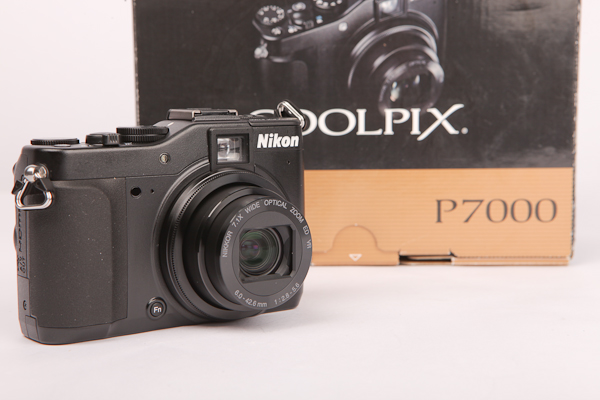
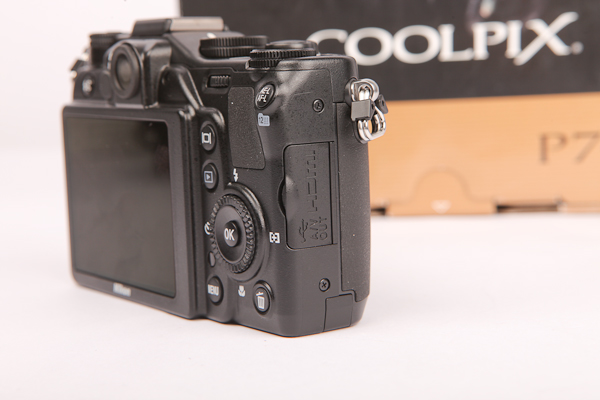
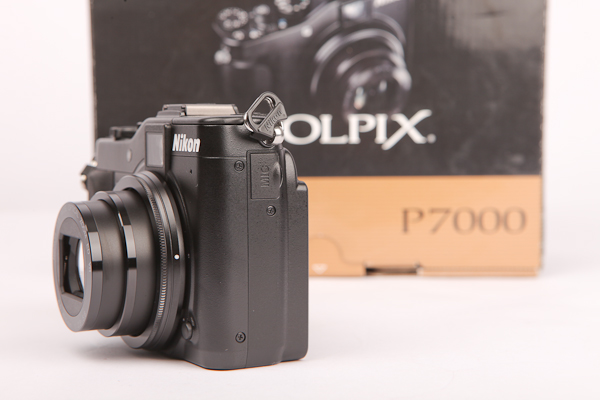
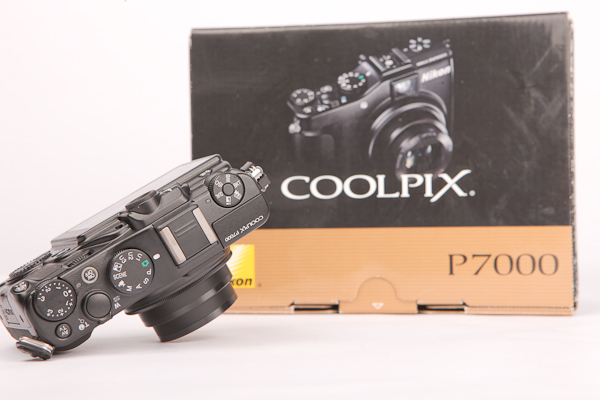
Nikon Coolpix P7000 Images

For video mode, the Nikon P7000 does have an external Mic input. That's a very nice surprise for someone that is planning to do more video work than photos on this smaller camera. I can see myself mounting an LED video light and a good external microphone to enhance the whole video experience. Perhaps a tiny camera cage stabilizer would make it even more fun to take around events. One super huge advantage Canon has is that this type of camera has existed for many many years. Many adapters, lenses, and accessories have been designed for earlier G10 & G11 bodies, which is still compatible to the G12. You can find some additional Telephoto adapters, Macro Filters, and Wide angle lenses for the Canon G12 here: Canon G10, G11, and G12 Adapter, Lenses, and Filters
Even the Canon OEM waterproof housing for the G11 is compatible with the G12. This already makes for a perfect underwater HD video camera on the cheap. Special wide angle lenses, fisheyes, and step up Macro filters are widely available through Canon and aftermarket companies. Since this is something new for Nikon, I can't even locate the lens adapter for the P7000 yet. Hopefully we'll start seeing some new accessories for the P7000 by end of year to further expand it's usability.

nikon-ikan-flykit


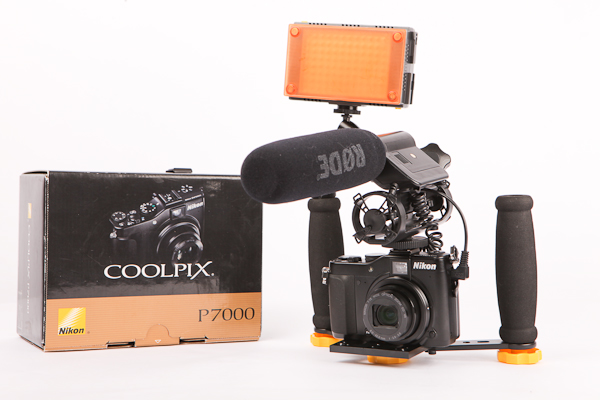
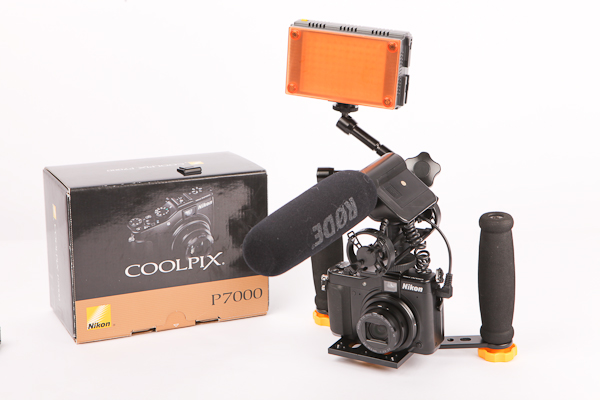
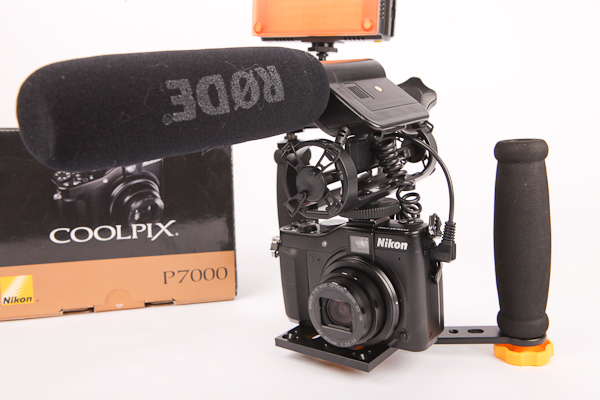
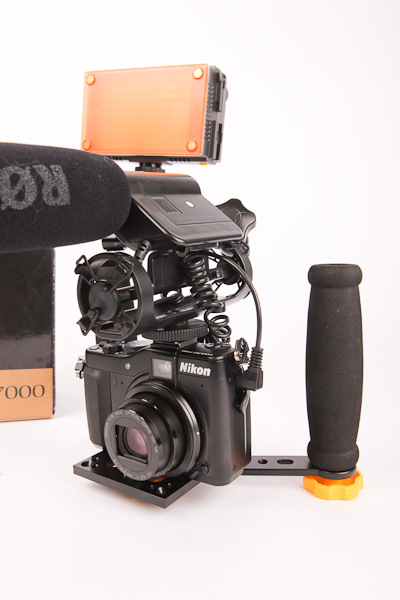
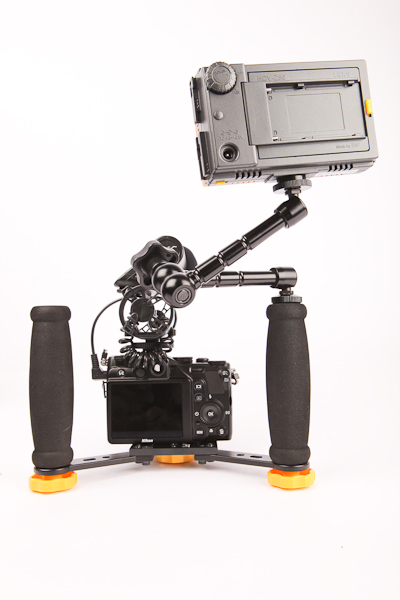
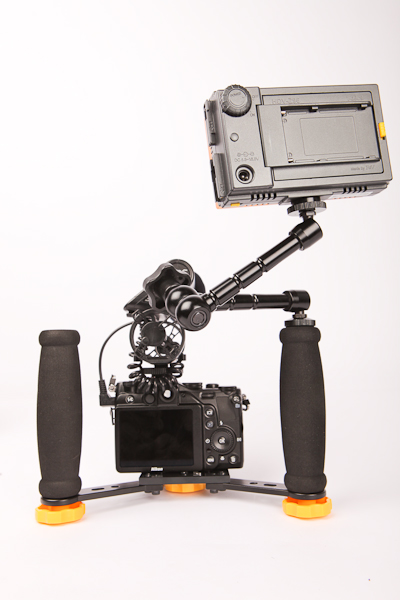
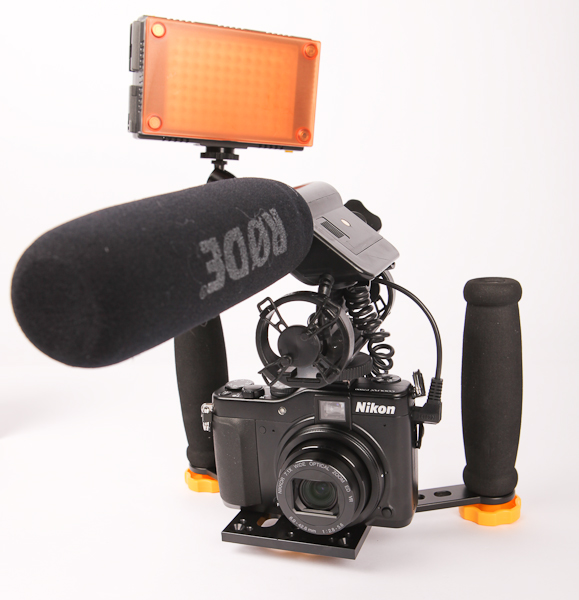
Nikon P7000 with Ikan Fly Kit, Rode VM, and Z96 LED Light

Since the Nikon P7000 has a 3.5mm input for an external Microphone, I quickly threw on my Rode VideoMic. Next I mounted it to the Ikan FlyKit DSLR Stabilizer (I'll get to that later). With a Flexible Power Arm, I also mounted the Z96 LED video light. I have nothing interesting to record right now, but testing it out, everything works great and the image stabilization in the Nikon performed well. I'm not sure if there's a way to set the video to 'manual' mode but I did notice some exposure changes in the video while running around. I'll have more stuff to show on the Ikan FlyKit DSLR Stabilizer soon.

ikan-fly-pack-dslr-kit
IKan Elements Fly Pack DSLR Kit

I know people will be looking for information about these popular cameras during the coming holidays, so i'll have more information to come. There's a ton of things I haven't covered like built in ND filters, Hybrid Image Stabilization, registering Custom Settings, built in Effects like Fisheye and Miniature Filters, built in HDR Processing, and much much more. I'll try to get it to it soon, but there's more technical specs at the product pages below. Showing right to left Canon S95, Canon G12, and Nikon P7000.

canon-powershot-s95 canon-powershot-g12 Nikon_Coolpix_P7000

Click for Product Information & Pricing

26 Comments

Maybe not a full Audio Technica AT875 Short Shotgun review, but more of a quick look at what to expect if you happened to grab one. I'm still building up the audio part of the JuicedLink DT454 and decided upon this short shotgun after many referrals. This AT875 shotgun microphone isn't as simple as connecting it directly to the DSLR camera, for something that simple you'll need the Rode VideoMic. The Rode VideoMic is self powered through a 9Volt battery and uses a small 3.5mm connector that goes to your cameras mic input (if available).

rode-video-mic
Click image for Rode VideoMic pricing

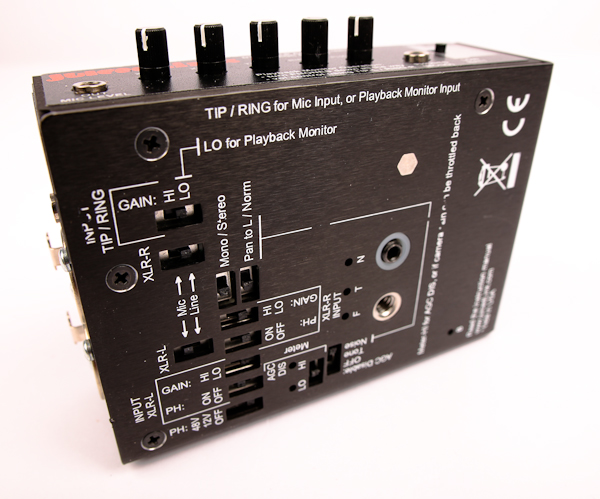
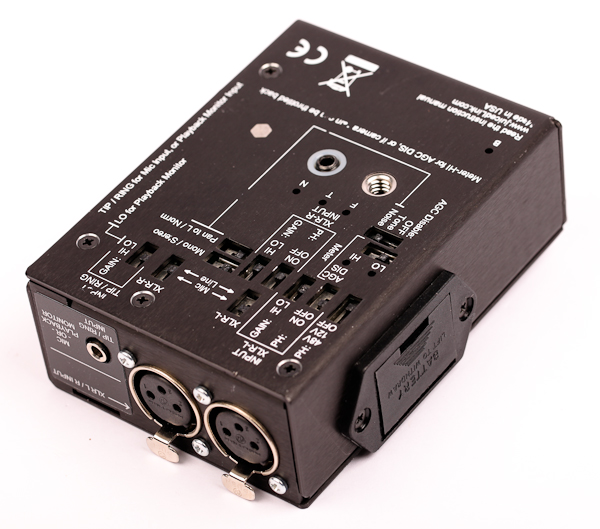
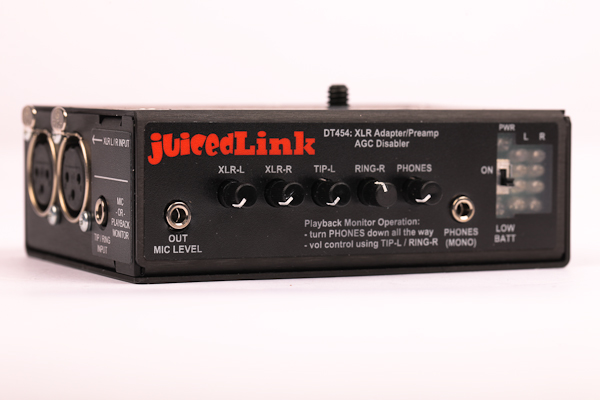
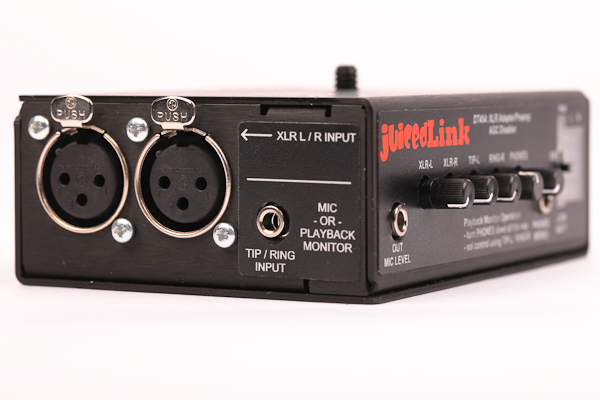
You've probably heard through the grapevine that DSLR's don't provide the best audio and most are limited by the camera's built in AGC. I wanted to have a little bit more control over the audio part of shooting video, while trying to save time in post audio sync, so here's where i'm at so far. This shotgun microphone requires 12V phantom power over an XLR cable. For my setup i'll be using it mainly with the JuicedLink DT454 that supplies the phantom power, and that box will further step it down into a 3.5mm direct to the DSLR. It's also nice that this JuicedLink allows for headphone monitoring of the audio. The DT454 also can accept 2 XLR inputs, so if I need to go with a LAV, Handheld Microphone, or Wireless setup, it's all possible with this expansion box. I could use the Zoom H4n, but with the DT454, I won't have to do any post audio sync work.

juicedlink-dt454
Click image for DT454 DSLR Preamplifier pricing


The AT875 comes with just the short shotgun, foam windscreen, and a padded leather bag. You'll need an XLR cable to get things moving so here's a great package that comes with an XLR and a hotshoe shockmount: Audio-Technica AT875 Short Condenser Shotgun Microphone Kit

audio-technica-at875
Click image for Audio Technica AT875 pricing

This particular shock mount that I received with the package is quite nice. It definitely doesn't bounce around as much as the Rode VM. With this microphone, it's also nice to have the option to use a shock mount or not. Something you won't get with the Rode since the shock mount is all part of the assembly. I'll try and get the audio part setup soon to run some tests, but i'm not too worried. This should be a solid audio solution for the price and definitely better than from the camera microphone.

If you're wondering about those Power Arms, you can find those here: http://cheesycam.com/flexible-friction-power-arms-for-dslr-accessories/

2 Comments

[Update] Item is gone....already sold.

One single unit shows up on eBay auctions. This little (possibly discontinued) video stabilizing Gizmo is called the Hollywood Lite VS1. My guess is the Stabilizer was out too early before tiny DSLR's started changing the video market. It functions similar to other common stabilizers with a center Gimbal handle, top stage, and lower counter weight sled. YouTube member Chung123video does a good job demonstrating the balance techniques, but no real footage to look at. From the movements though, I can tell you it's going to be pretty smooth.

How much weight does it hold? Not sure, doesn't look like much but claims it can support cameras up to 4lbs. If that's true, it should hold up better than a Hague and support cameras around the size of the Panasonic GH1 or GH2 with ease. The Hollywood Lite unit itself weighs only 2.5lbs perfect for packing up and traveling. It should definitely suffice for point and shoot video shooters and iPhone video junkies. If you can find it elsewhere, it's a pretty penny. This single on eBay is looking to accept some offers or has a Buy It Now price (I don't think it's worth the Buy It Now price). Link to Hollywood Lite Stabilizer: Hollywood Lite VS1 Video Camera Stabilizer

hollywood-lite-stabilizer
Click Image for Hollywood Lite VS1 Auction

3 Comments

hoodman-wristshot
Hoodman H-WS1 WristShot Camera Support System

This bowling brace looking camera support is called the Hoodman WristShot, and it's used to transfer the weight to the forearm while still allowing you to control the camera. It looks crazy, but If you think about it, it makes a tad bit of sense. For DSLR shooters, one arm is usually holding the camera weight while the other is maintaining focus. In that situation, it would be difficult to try and keep the camera stabilized. It may even aid in keeping the Horizon level on the camera and reduce vibrations from wrist movements. For those renegades who shoot solely hand held, and can't stand the restrictions of large stabilizers, this might be a helpful solution. Cost wise? I'll let you decide, following the link here: Hoodman H-WS1 WristShot Camera Support System

Or via Amazon

2 Comments

Here's two videos showing some innovation around DIY Follow Focus projects. This first one (above), sent to me by Phuong H., is a DIY follow focus designed for the Sony NEX-VG10 Interchangeable Lens Handycam Camcorder. This is probably the first DIY project ever on one of them fancy shiny new camcorders. There's not much information on how you can DIY yourself, but this video might turn on a few light bulbs in your head.

The second video (below), shared by Robert J. takes the simple hose clamp DIY follow focus idea and drums up a new way of adding dry erase focus marks, so that you can wipe them down and start all over.

7 Comments

I bet you guys didn't know I had a Varavon Profinder Low Angle DSLR View Finder for the Canon 5D Mark II. I've actually had this on the shelf for several months, and haven't had the chance to use it. I got it shortly after posting this article here: http://cheesycam.com/varavon-profinder-angled-lcd-view-finder/
varavon-view-finder (3 of 4)
It's a larger LCD View finder because of it's niche ability to get low angle shots via a sliding cover and a series of mirrors. Something I don't really use very much, so I decided not to mount it after all this time. After receiving the Gini Rig, I wanted an LCD View Finder that wasn't held on with magnetic frames. I wanted it to stay put when I told it to, but yet still be able to remove it when I wanted. The larger form factor of this design actually works out in my favor and is quite nice when using it on a shoulder rig. The base plate on this LCD View Finder is fat, and made completely out of machined aluminum. I can mount a QR Adapter to the Varavon view finder base and quickly connect the camera to the shoulder rig. It also has an LCD View Finder quick release knob on the base plate if I wanted to take the view finder off of the camera. This thing will probably have a permanent life on my new Gini Rig that i'll be building around the Canon 5D Mark II.

varavon-view-finder (1 of 4)

The Letus Hawk VF also has a fat base plate and a quick release system for anyone looking to get a solid mounting LCD View Finder that doesn't use the magnetic sticky frames. The Letus Hawk VF can serve the same purpose for all my needs, but currently it's the only LCD View Finder that's working on the Canon 60D. Let's get back on track about the Varavon DSLR Low Angle LCD View Finder. It's something that I already had here and is now working nicely into the new Gini Rig configuration i'm building out. Varavon's ProFinder is not at all a copy of any other DSLR view finder design on the market. It's their own innovation and every piece of it is well made, showing that as a company they could have a bright future.

varavon-view-finder (2 of 4)

Two things to point out about the Varavon View Finder product. First the mounting is very solid, but can't be adjusted. It fits perfectly for the camera you purchase it for, and that's it. There is a different base plate to attach to the Canon 5D Mark II, 7D, and Canon T2i so it's not very versatile. Another thing to point out is the "Low Angle" feature. This feature definitely plays a role in the entire form factor design making it larger and possibly adding to the cost of manufacturing. Whether there's a market for this particular unique 'Low Angle' View Finder, that remains to be seen.

Should Varavon continue in the DSLR accessories market, they should at least have another View Finder without the low angle feature, and something more adjustable to different DSLR bodies. This would open up a whole new audience to a single product. They are definitely a company to watch for if they decide to continue in the DSLR market, as their current ProFinder shows attention to detail and well manufactured with quality materials. Unless you've fallen in love with the Low Angle feature of this LCD View Finder, there are other options on the market. You can find some of the Varavon products following this link: Varavon LCD Viewfinder for Canon EOS 5DMK2 with Loupe

varavon-view-finder (4 of 4)
find-price-button Varavon Viewfinders, Cages, Sliders

Cheesycam Reader Josef wanted to share this even if anyone might have missed it. I know I did! Thanks Josef

createsphere

The Createasphere Entertainment Technology Expo in Burbank is the media industry’s showcase for exploring and learning about the latest trends and ground-breaking technology for the content creator.

The Createasphere Entertainment Technology Expo in Burbank is where future technology and creative vision converge. Featuring educational sessions and interactive panels, the Expo brings together media experts and technical innovators for two days of lively discussion and knowledge-sharing that will help shape the future of the industry. A show floor with hundreds of exhibitors brings the technology to life with hands-on access to explore the latest innovations.

Attendance is FREE with pre-registration! Here's the link with more information: https://createasphere.com/En/ete-burbank.html?utm_source=BH&utm_medium=email&utm_campaign=BHLA

20 Comments

Who doesn't get a kick out of a video streaming Wifi controlled flying toy? A friend of mine recently picked one of these Parrot AR. Drones up and I had the chance to fly it around. It's really tons of fun! Kids can easily learn to fly these things. The Parrot AR Drone is a remote controlled Quadricopter that streams real time video to it's controller so you can see where you're flying. The Wifi controller can be an iPhone, iPod Touch, or iPad (the iPad is really cool with it's large screen). It's easy to sync up once you've downloaded the Free remote application from the Apps Store. First turn on the AR Drone, and then turn on the Wifi on your iPhone, iPod Touch, or iPad. Connect to the AR Drone (it will appear as a WiFi hotspot). Once you've connected, go and launch the application and it will connect. Very simple and fast.

ar-drone-parrot-quadricopter

The AR Drone Quadricopter is super stable and will automatically level itself out and stays in one place if the unit loses connection to the remote, or if you remove your hands from the controller. If you lose connection, just walk closer and then you'll be back in control. If the unit is too high and loses connection, it will return itself to a manageable height so you can walk over and get back in control. I believe it can scan the floor somehow to see what's below so it doesn't just fly off into space.

ar-drone-quadricopter-ipad
Flying outdoors with Training Foam Cage

Since the unit can level out and maintain a stable position, you can easily rotate turns in 360 degrees. The video stream is super fast, and as real time as can be. The video streams in amazing quality and very clear even in low light. The item comes with two different bodies. One is a foam cage that protects the units from rookie pilots. I'm sorry to admit, I crashed my friends unit into walls and it took a dive from 20 ft. several times. The drop was no problem with the foam cage, it's designed to protect the unit for training. If you should need some replacement parts, practically every piece of the Drone is for sale and looks to be easily replaceable too. This thing really takes a beating for sure. Once you're pretty good, you can swap out the foam cage for a more streamlined aerodynamic body. I think a few flights is all it takes to get the hang of it.

parrot-ar-drone
Simple Body without Training Foam Cage

There are other applications in the Apple Apps Store in which you can control the unit and record the video stream that will be saved to your iPhone, iPod, or iPad. You can choose to use the accelerometer to maneuver the Drone by leaning left or right, forward and back. Since it's a quadricopter it can move in any direction without having to turn around, but you'd want to turn the unit mainly for the video camera to point in the direction you're flying. Check out the video above which gives you an idea on how to fly it with a remote. These AR Drones can be found here: Parrot AR Drone Wifi Remote Controlled Quadricopter